How to Automatically Pull, Sync, and Analyze Your Amazon "FBA Stranded Inventory" Report in Google Sheets
Stranded inventory is the ultimate waste. You bought the stock, you shipped it to Amazon, and you are paying monthly storage fees for it—but customers cannot buy it. It is "sellable" inventory stuck in a "broken" listing state. Worse, if you leave it stranded for too long, Amazon destroys it or ships it back to you automatically. The FBA Stranded Inventory Report is your repair list. It identifies exactly which ASINs are invisible to customers and, crucially, why. This guide shows you how to automate your rescue missions. We'll cover how to automatically pull your Stranded Inventory report directly into Google Sheets to build a live "Revenue Rescue" dashboard.

How to Automatically Sync & Import the FBA Stranded Inventory Report to Google Sheets (The Hopted Way)
Using an Amazon to Google Sheets integration like Hopted, you set up the connection once, and your data flows automatically.
Step 1.
Install the Hopted browser extension and sign in using your Google Account.
Step 2.
Securely connect your Amazon Seller Central to Google Sheets using Hopted's integration wizard.
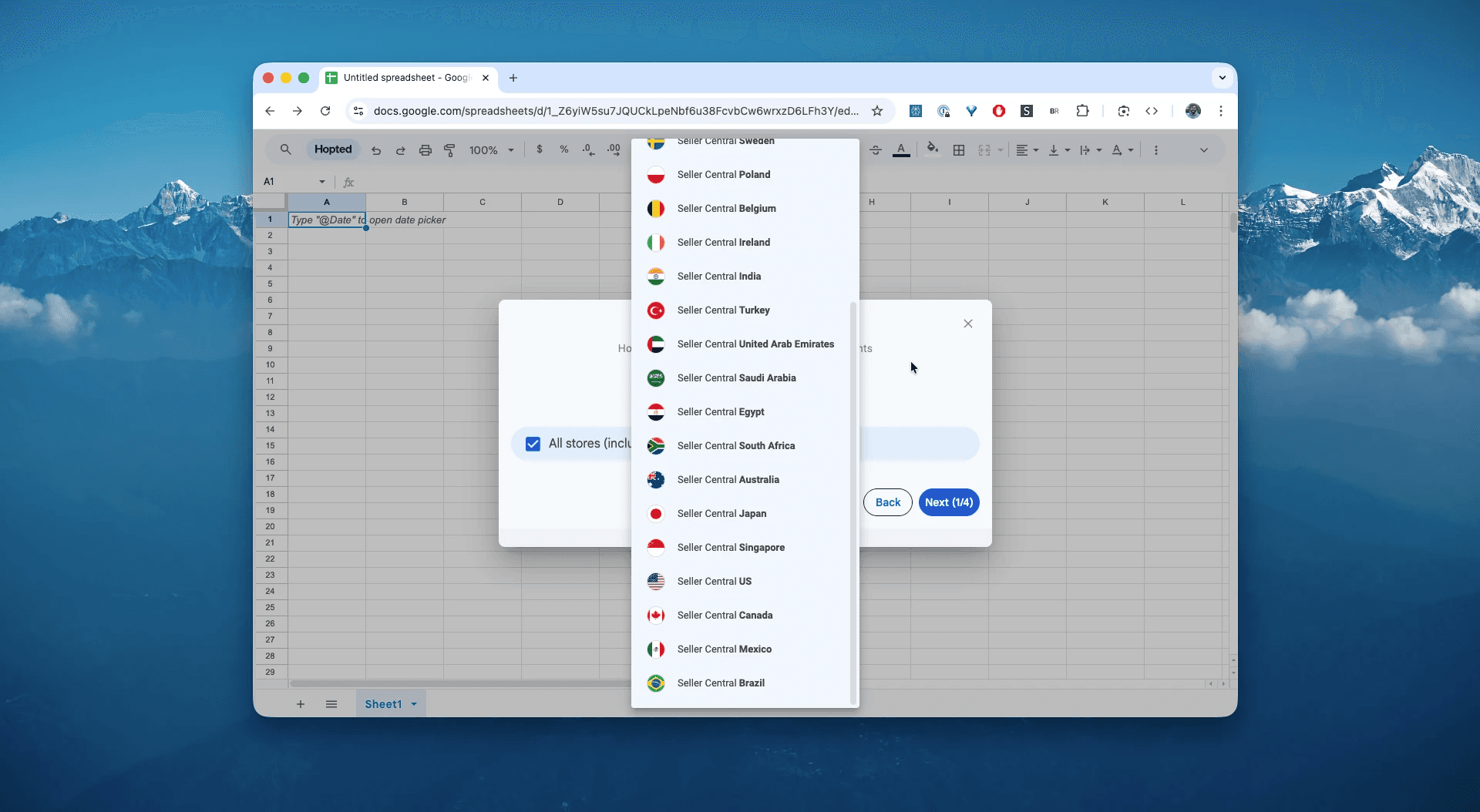
Step 3.
In Google Sheets, from the list of available Amazon Seller Central reports, select "Stranded Inventory".
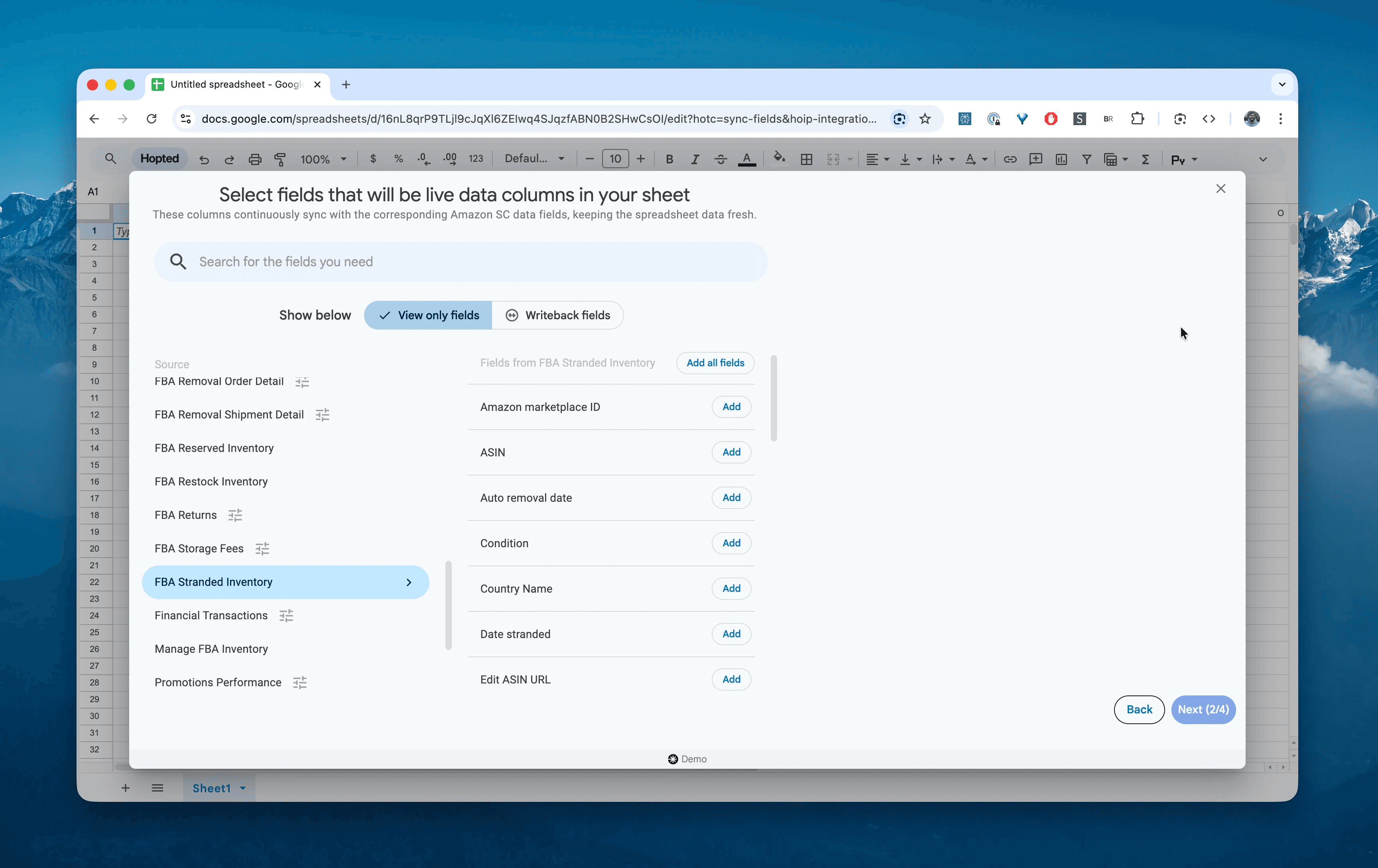
Step 4.
Select columns that you need: asin, sku, product-name, fulfillable-quantity, stranded-reason, date-stranded, and estimated-storage-cost.
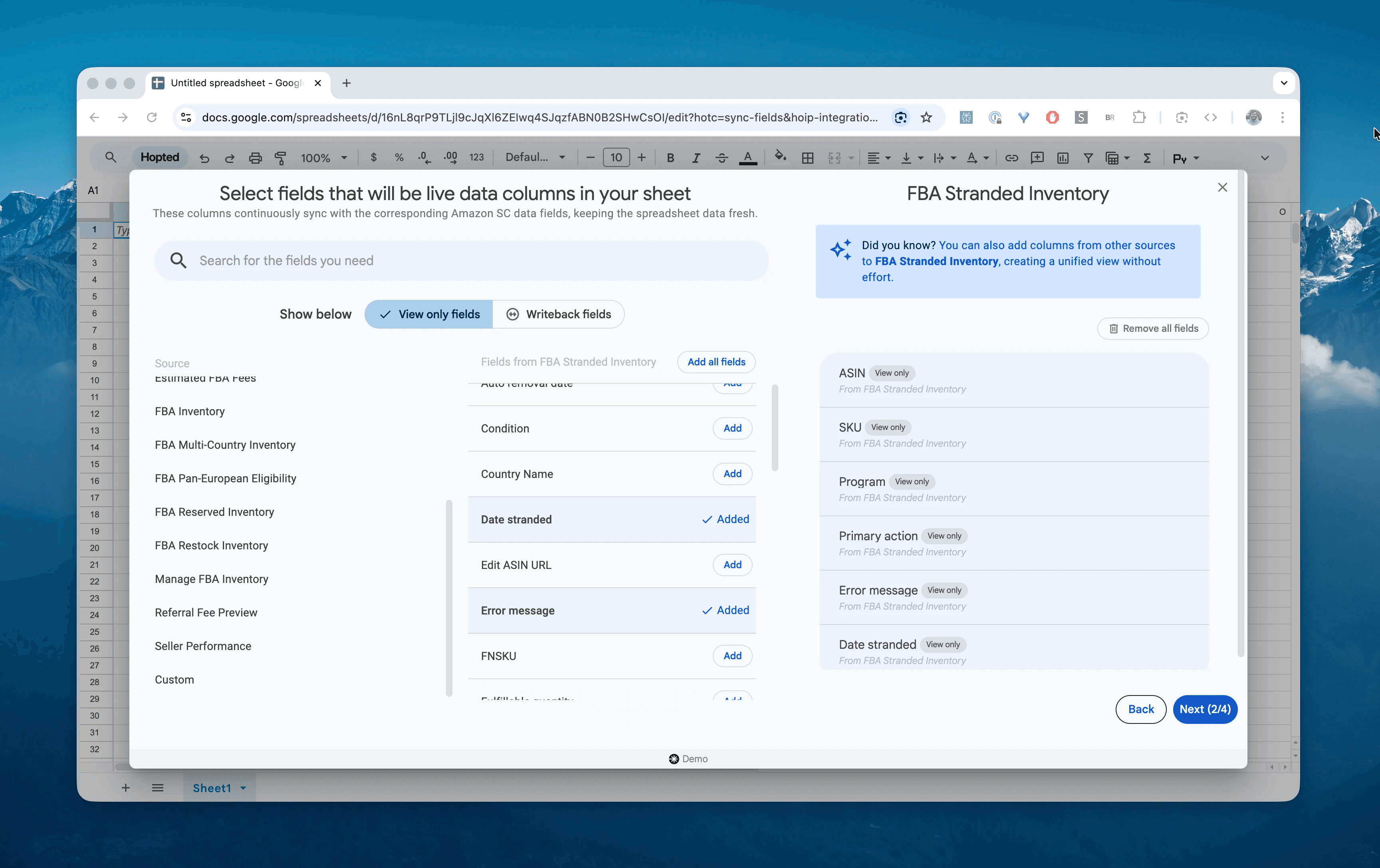
Step 5.
Set your schedule. Choose how often you want to export and refresh your stranded status—we recommend a Dailyschedule. Stranded inventory negatively impacts your IPI score every single day it sits there.
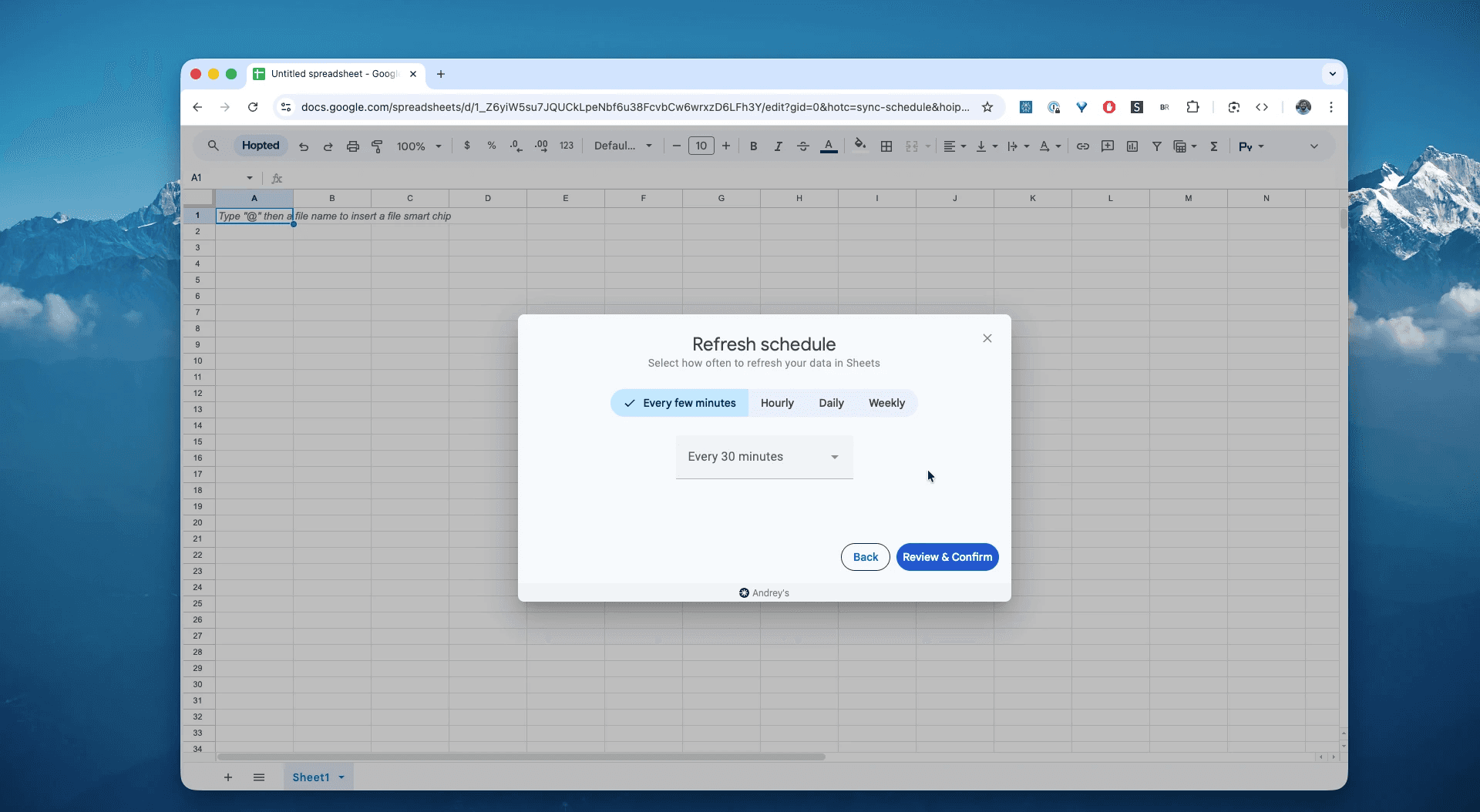
Step 6.
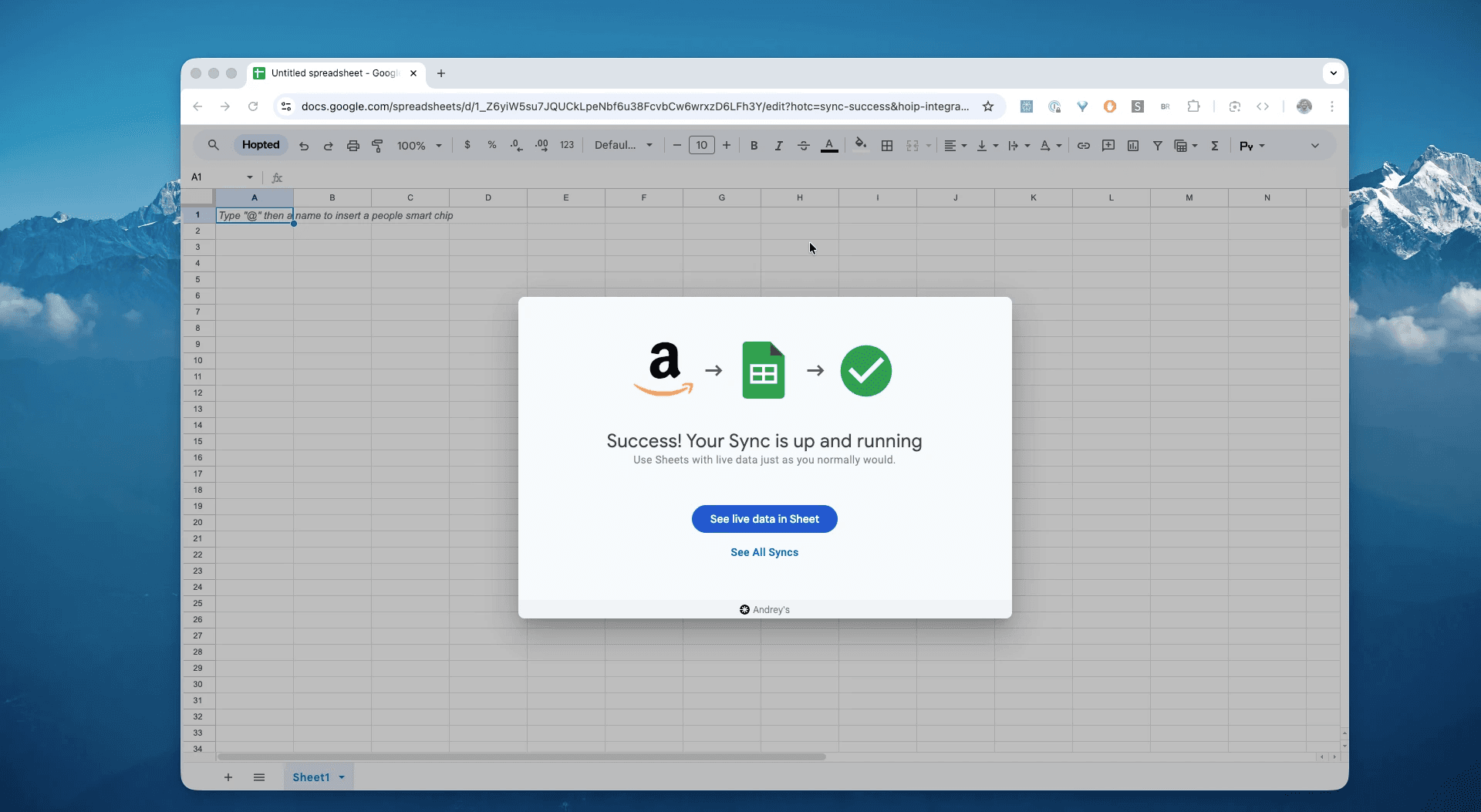
Save your data pipeline. This will export your stranded alerts from Seller Central into spreadsheets instead of dealing with CSVs. Your listing health dashboard will be up to date forever.
What is the Amazon FBA Stranded Inventory Report?
This report lists inventory that is physically present in an Amazon Fulfillment Center but does not have an active offer on Amazon. Unlike "Unfulfillable" inventory (which is damaged), Stranded Inventory is usually in perfect condition—it just lacks the digital "link" to a live product page.
Common causes include pricing errors (Amazon thinks your price is too high/low), missing listing attributes, suppressed listings, or accidentally deleting a SKU from your Manage Inventory page while stock was still at the warehouse.
This makes it the single source of truth for answering questions like:
Which 10 ASINs are racking up storage fees but generating zero sales?Is my best-seller offline because of a "Pricing Error"?How much potential revenue is currently sitting in "Limbo"?Which items are about to be automatically disposed of by Amazon due to inactivity?Did a bulk upload accidentally convert my FBA listings to Merchant Fulfilled (stranded the FBA stock)?
How to Analyze & Track Your Stranded Inventory in Spreadsheets
Now that you have a live feed, you can move from data entry to data analysis. This is the real power of analyzing your Amazon Seller Central data in spreadsheets and building your Amazon excel-like template.
Here are 3 Amazon spreadsheet template ideas you can build immediately:
Template 1: The "Revenue Rescue" Prioritizer
ou likely have multiple stranded items. Fix the most expensive ones first.
How to build it:
Formula: Create a column
Potential Revenue=fulfillable-quantity*[Your Retail Price]. (Note: You may need toVLOOKUPthe price from your catalog sheet).Sort: Descending by
Potential Revenue.What it shows you: You might see that while you have 50 different stranded SKUs, the top 3 represent €5,000 in frozen revenue. Fix those three before you even look at the rest.
Template 2: The "Root Cause" Analyzer
Fixing stranded inventory is often about fixing a process. This recipe groups errors so you can bulk-fix them.
How to build it:
Pivot Table Rows:
stranded-reason.Pivot Table Values:
COUNT of skuandSUM of fulfillable-quantity.What it shows you: If 80% of your stranded inventory shows the reason "Merchant Fulfilled", you know you have a systematic error in your inventory loader files that is flipping FBA SKUs to FBM. You can fix the file template and solve 80% of the problems at once.
Template 3: The "Disposal Countdown"
Amazon will automatically remove (dispose or return) stranded inventory after a set period (usually 30-45 days) if you don't fix it.
How to build it:
Formula:
=DAYS(TODAY(), date-stranded)Conditional Formatting: Highlight cells where the result is
> 25in Red.What it shows you: The "Danger Zone." These items have been stranded for nearly a month. If you don't fix the listing or create a removal order now, Amazon might dispose of them, costing you the cost of goods + disposal fees.
Common workflows this report unlocks
IPI Score Protection: Stranded inventory counts against your Inventory Performance Index. Clearing this report daily is one of the fastest ways to boost your IPI.
Listing Reactivation: Quickly identify "Listing Error" vs. "Pricing Error" to assign the fix to the right team member (Catalog team vs. Pricing strategy).
Prevention of Auto-Removal: Catch items before they hit the 30-day mandatory removal window.
Catalog Hygiene: Identify "Ghost SKUs" that you deleted from your catalog but forgot to remove physically from the warehouse.
FAQ about Amazon FBA Stranded Inventory
Q: What is the difference between "Stranded" and "Unfulfillable"?
Stranded: The item is in good condition (Sellable), but the Listing is broken. You fix this by editing the listing in Seller Central.
Unfulfillable: The item is physically damaged or expired. You cannot sell it. You fix this by creating a Removal Order.
Q: Does Stranded Inventory affect my IPI score? Yes, heavily. Stranded inventory consumes storage limits and incurs fees without generating sales velocity. It is "dead weight" in the eyes of the IPI algorithm. Fixing it is a priority for maintaining your storage limits.
Q: Why does my inventory say "Merchant Fulfilled" in the stranded reason? This happens when you convert a listing from "Amazon Fulfilled" to "Merchant Fulfilled" (FBM) while you still have FBA stock in the warehouse. The FBA stock becomes stranded because it no longer has an active FBA offer to attach to.
Q: What happens if I ignore Stranded Inventory? Amazon has an "Automatic Action" setting. Typically, after 30 to 45 days of being stranded, Amazon will automatically classify the inventory as unsellable and may dispose of it or ship it back to you at your expense, depending on your settings.
Q: How is Hopted different from other Amazon seller software? Most Amazon tools force you into their rigid dashboards and pre-built reports. You have to change your workflow to fit their software. With Hopted it is the opposite. It’s a flexible data automation layer that works directly inside your existing spreadsheets (like Google Sheets). Instead of forcing you to learn a new system, Hopted brings all your scattered Amazon data (sales, inventory, orders, etc.) right to you. You can build the fully custom reports and automations you need, not the ones a rigid tool dictates.
Amazon Seller Central report reference
Source note: Links in this reference section point to Amazon Seller Central report and help documentation where available.
Learn more about Amazon FBA Stranded Inventory, and how to avoid it or fix the issues.
primary-action
Action needed to bring your inventory out of stranded status. The possible actions are:
- Relist: For products that have been listed previously but do not have an active offer, click Add a Product in the Inventory drop-down menu to create an offer. If you see a message indicating that your product is already listed but needs to be edited, click the provided link to update your listing.
- Create removal order: For products you no longer want to sell, go to the Manage FBA Inventory page, select the product, and choose Create Removal Order from the drop-down menu on top.
- Change to Fulfilled by Amazon: If you have an offer, but it is for a product that you fulfill yourself, none of your FBA inventory for that product will be available for sale. On your Manage Inventory page, select the product and click Change to Fulfilled by Amazon in the Action drop-down menu to enable FBA to pick, pack, and ship those products.
- Create a new listing: If you have FBA inventory of a product that has never been listed, create a listing for your SKU by clicking Add a Product in the Inventory drop-down menu.
date-stranded
This date shows how long your inventory has been stranded and without an active offer.
date-classified-as-unsellable
This is the date when the inventory will be classified as unsellable unless the offer is made buyable. You are required to remove unsellable units (which are “Unsuitable Units” as defined in the Amazon Services Business Solutions Agreement) as described in our Required removals policy.
status-primary
Identifies whether the offer is active, inactive, or incomplete. Incomplete offers are those missing price or condition.
status-secondary
For inactive offers, this field identifies the reasons — for example, blocked or out of stock.
error-message
For select inactive offers, additional information is displayed here — for example, quality alerts.
asin
Unique blocks of 10 letters or numbers that Amazon assigns to identify products. You can find the ASIN on the product details page.
sku
Unique blocks of letters or numbers that you assign to identify your products
fnsku
Unique identifiers that Amazon assigns to items stored in and fulfilled from a fulfillment center
product-name
The title of your product
condition
The condition of your product
fulfilled-by
Indicates whether the product is listed for fulfillment by Amazon or by you.
fulfillable-quantity
The number of units of a SKU that you have in Amazon fulfillment centers and that can be picked, packed, and shipped
your-price
Your current selling price
unfulfillable-qtyThe number of units of a SKU that you have in Amazon fulfillment centers and that are in unsellable condition
reserved-quantity
The number of units of a SKU that you have in Amazon fulfillment centers and that are currently being picked, packed, and shipped or that are sidelined for measurement, sampling, or other internal processes
inbound-shipped-qty
The number of units of a SKU that you have shipped to Amazon and that are in transit