We help you recover funds from Amazon's errors in wrong FBA fees, incorrect product dimensions, and inaccurate item weight assessments.

It's a struggle to juggle Amazon FBA cost structure, seller fees, cubiscans, FBA fee audit, and FBA fee reconciliation — especially when you're the underdog competing against larger brands on Amazon. We're like you, we get it.
With Hopted, you'll have a single source of truth where you'll be able to identify in seconds Amazon fee discrepancies due to errors in your item weights or dimensions to recoup money from Amazon.
This is how you should not identify Amazon's FBA fee calculation errors.
The chances are that you already have your master spreadsheet with the correct dimensions of your goods and packages.
Because it takes a lot of effort, you perform FBA fee reconciliation once in a while.
You go to Amazon Seller Central, export the FBA Fee Preview report and dump the CSV into a spreadsheet. Then for the few hours you try to make the comparison of the actual FBA fee to your expected FBA fee. You take the difference between the FBA Fee Preview and your calculated fee, multiplied by the number of shipped units in the last 30 days. You file the top 20 cases to remeasure and reweigh your product (aka cubiscan), thus submitting an Amazon Fee Adjustment Request. If this goes through, you submit for FBA overcharge refunds with Amazon seller support claims.
Enormously cumbersome process. Do you agree?
Here's what being correctly charged FBA fees with Hopted looks like.
Step 1. Hopted fits your work process.
Hopted takes your master Google Sheets spreadsheet with the correct product size tiers, dimensions, and weights of your products and retrieves live values of data points related to FBA fee calculation directly from your Seller Central next to them.
Instead of copying and pasting or merging CSVs, Hopted automatically updates your master spreadsheet and the product attributes in it to keep them up to date with Amazon. Hopted also retrieves real-time values of the number of sold items for each product in this consolidated spreadsheet. So you can sort by top items.
Step 2. Amazon makes an error in your FBA fee.
Now, Amazon mistakenly changes the dimensions or weight of your FBA products without notice.
You get a beautifully crafted notification in Slack, MS Teams, email, or as an open issue in project management software of choice, letting your team know that there are discrepancies between your internal records and whatever is live on Amazon.
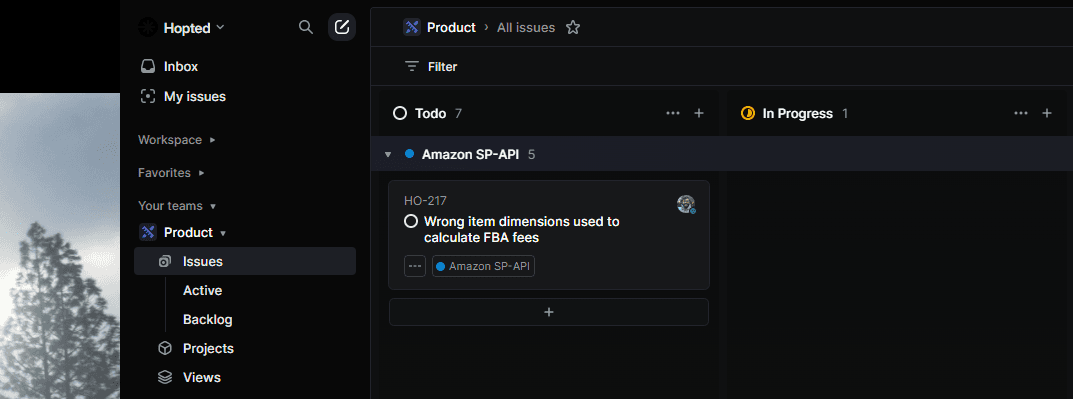
Step 3. Fix and reimburse.
With everything in reach in consolidated Google Sheet, and every piece of information tracked and brought to you by Hopted, you can then easily open an Amazon Seller Central case to remeasure, dispute fees and overcharged orders.
Leave the grind behind.
Ensure that Amazon is charging you the correct FBA fees at all times.
Correctly calculating Amazon Seller Fees means you can achieve accurate profit analysis at the product level. Even if you choose not to use Hopted, we recommend that you use FBA reimbursement software.
Fees that can go wrong.
FBA Fulfillment fee
FBA Pick and pack fee
FBA Handling fee
FBA Multi-Channel Fulfillment fees
FBA Prep service fees
FBA Long-term storage fees
FBA Disposal order fees
FBA Oversize item fees
Trusted every day by modern Amazon teams





How Hopted works.
